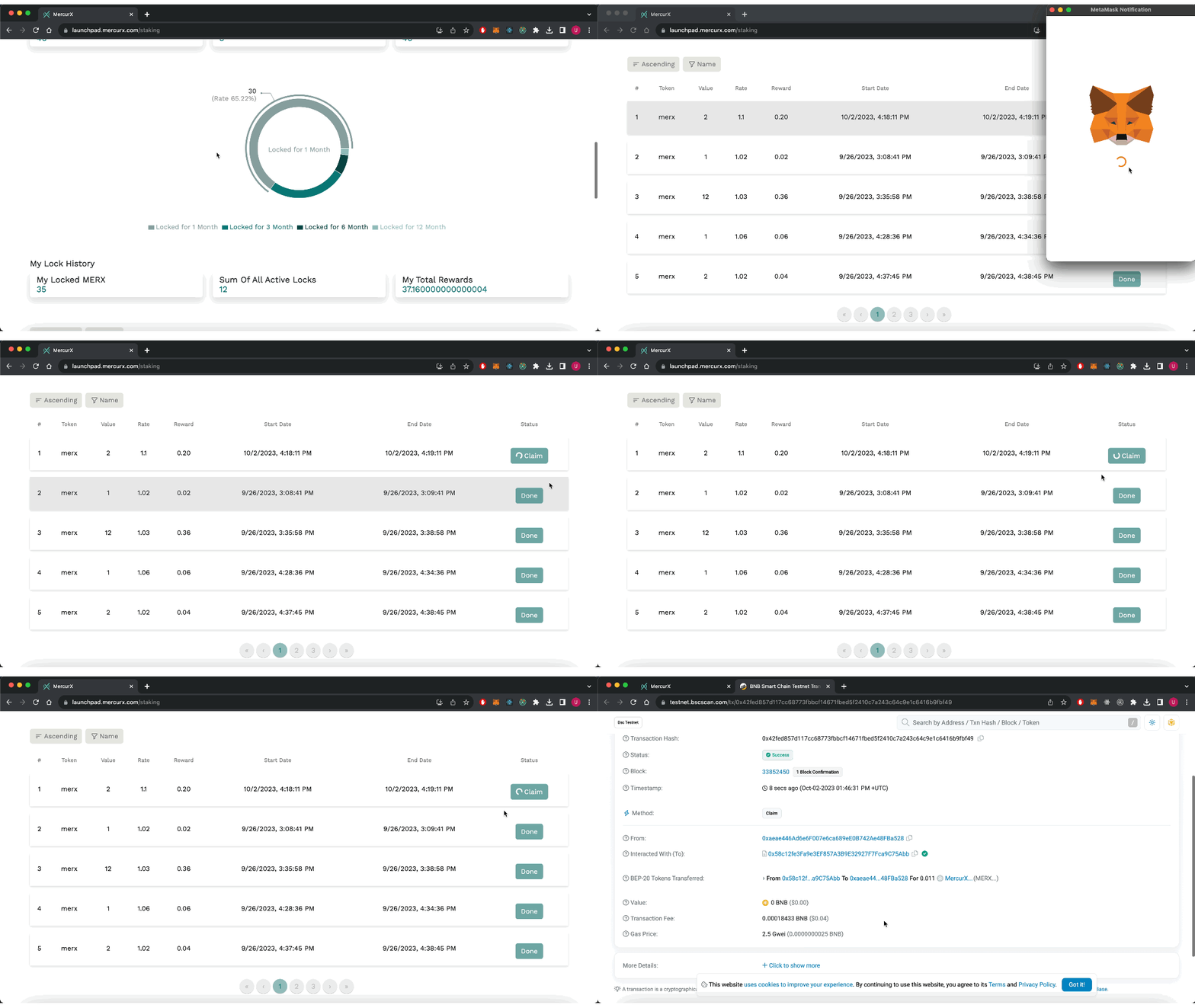
🔓 Lock Token
The following are available on this screen;
- Choose how many months you want to lock, from the cards on the screen.
- Enter how many merx you want to lock.
- Click on the lock merx button.
- Make the confirmation process from your wallet.
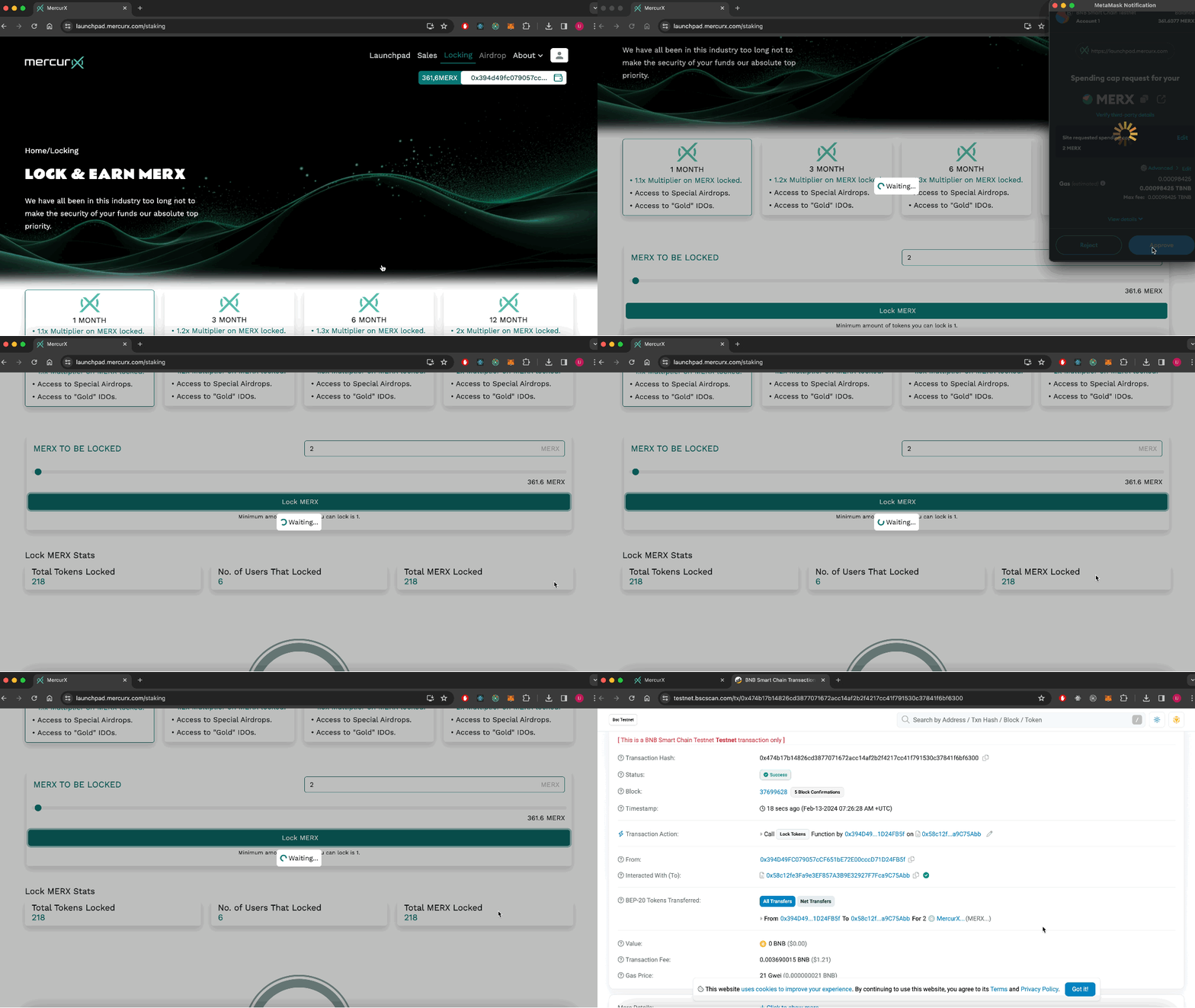
The statistics of your transactions are shown in a pie-slice chart below:
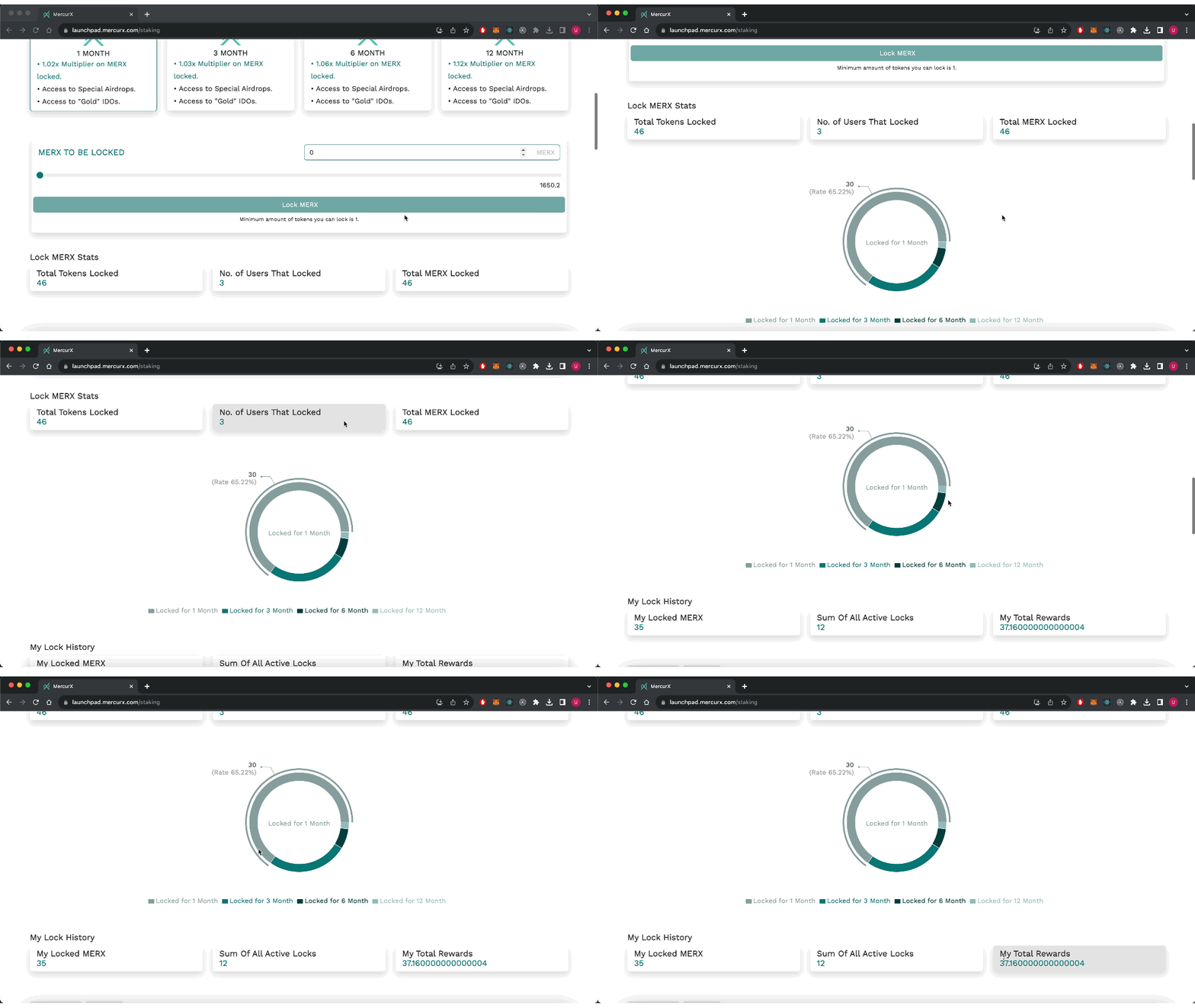
At the bottom of the screen, all the transactions you have made are listed.
- The claim button is active for locked transactions that have expired.
- Click on the claim button.
- Make the confirmation from your wallet.
- You can click on "Check detail transaction" for details.